To scan a new QR code or enter a new set of credentials for your Cloud Softphone smartphone app, you will need to reset the application.
Please be reminded that QR codes and credentials may not be reused. To reset your QR code or login credentials, please contact IPFINITY support.
Click here to skip to Android Instructions
Reset Instructions for iPhone Users
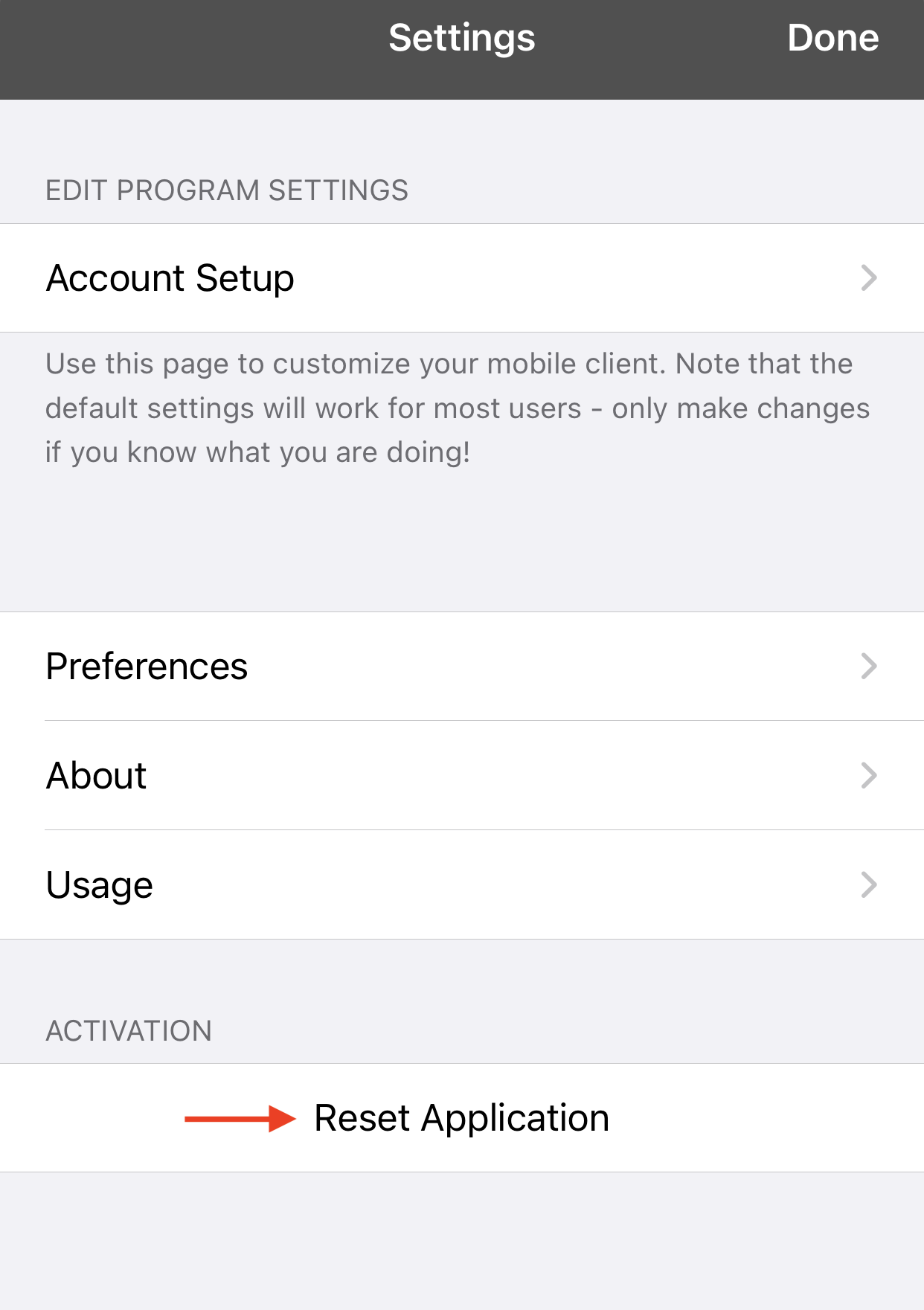
1. In the Softphone app, go to Settings then tap on "Reset Application"
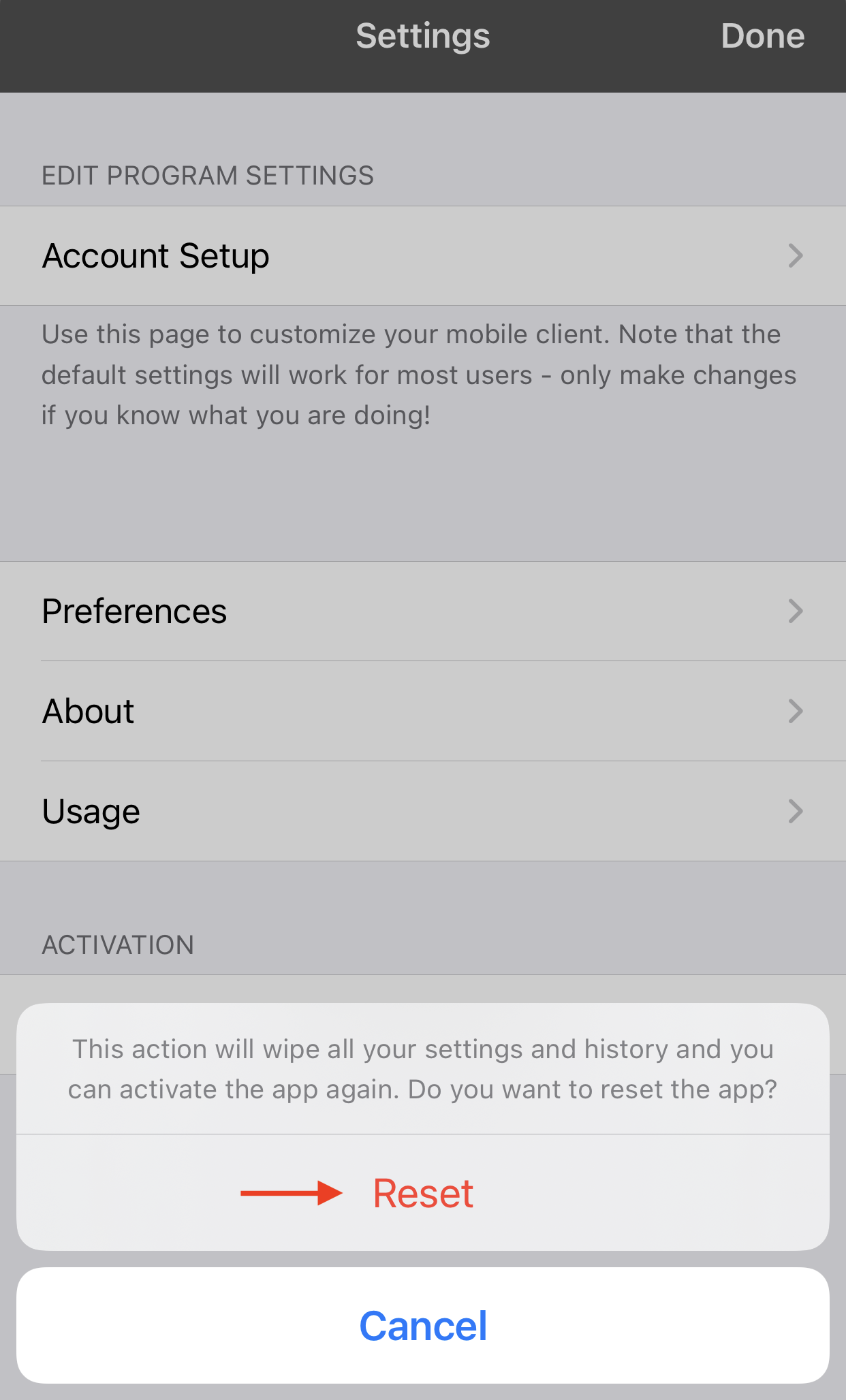
2. In the confirmation pop up, tap on "Reset"
3. The reset process will close the application after a few seconds. When reopening the app, you will be presented with the page allowing to scan a QR code or enter credentials.
Reset Instructions for Android Users
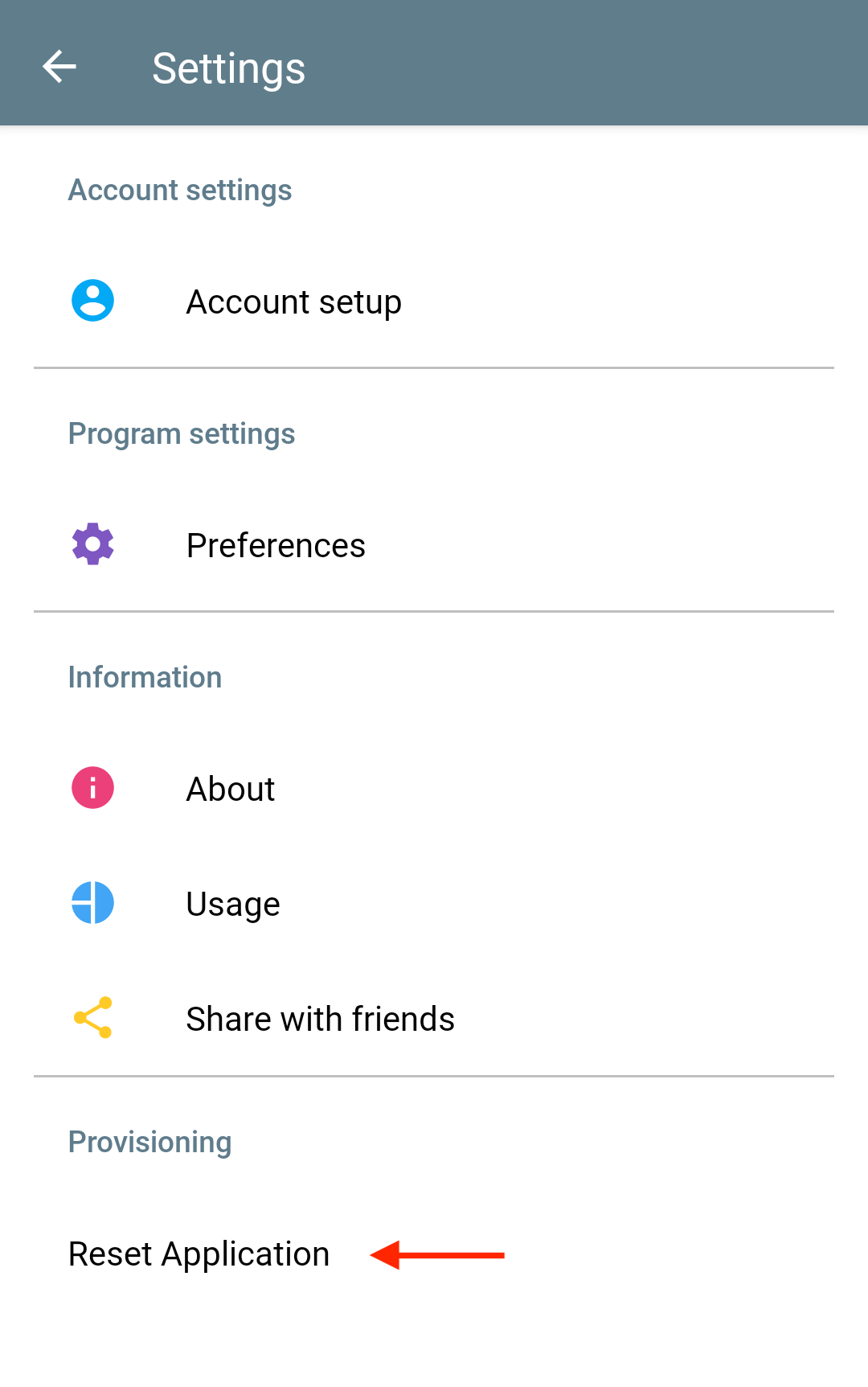
1. In the Cloud Softphone app, go to Settings then tap on "Reset Application"
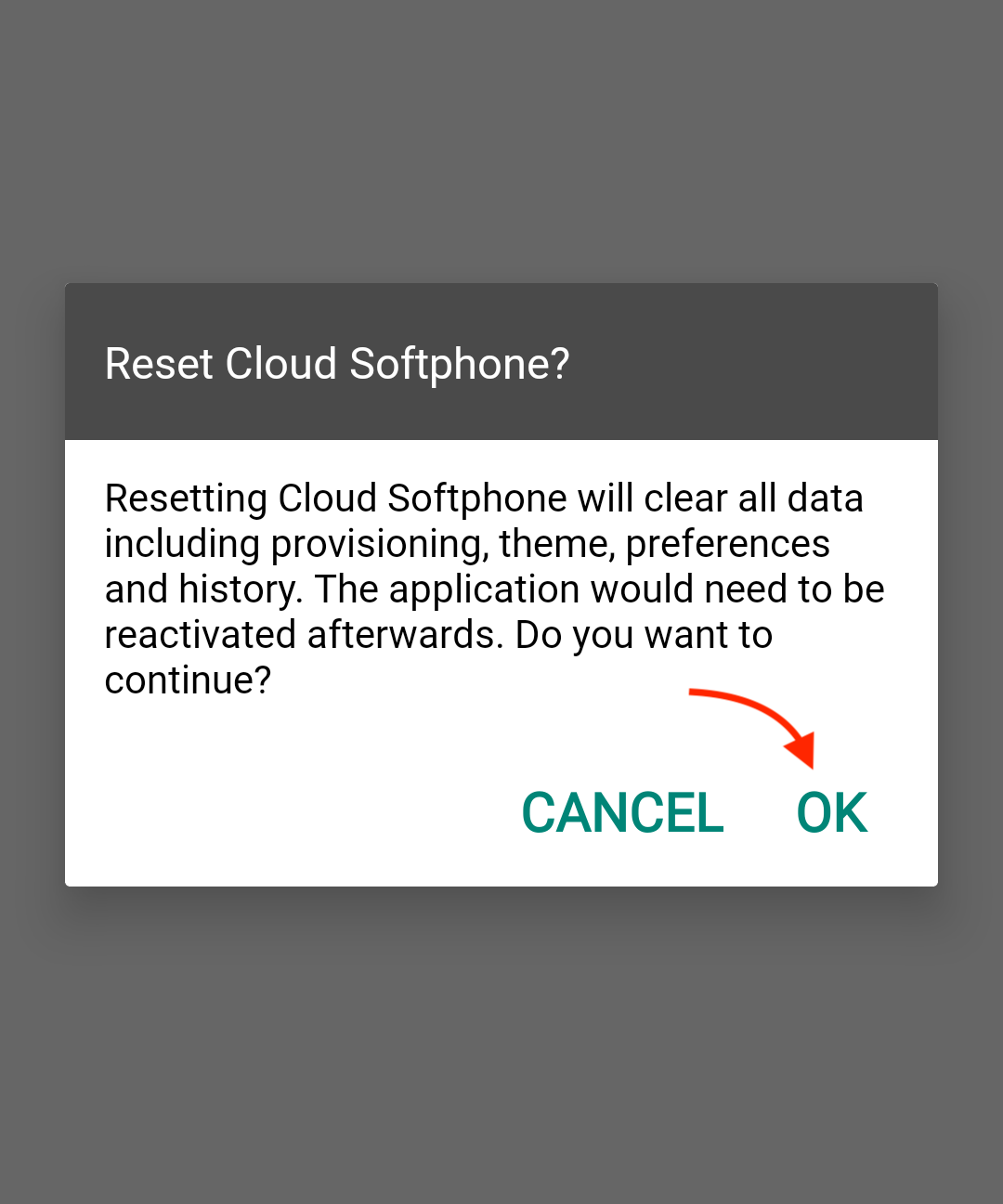
2. In the confirmation pop up, tap on "OK"
3. The reset process will close the application after a few seconds. When reopening the app, you will be presented with the page allowing to scan a QR code or enter credentials.
0 Comments