Installation Guide Models: VRX-1000, VRX-7601e
Overview
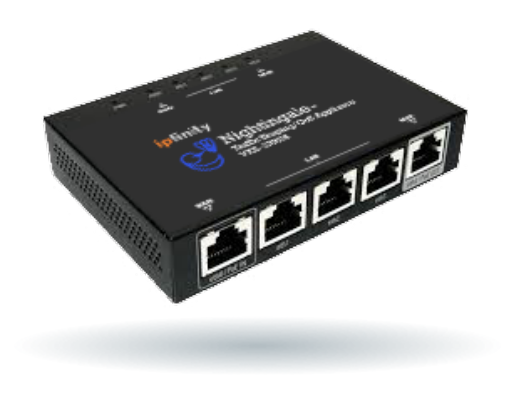
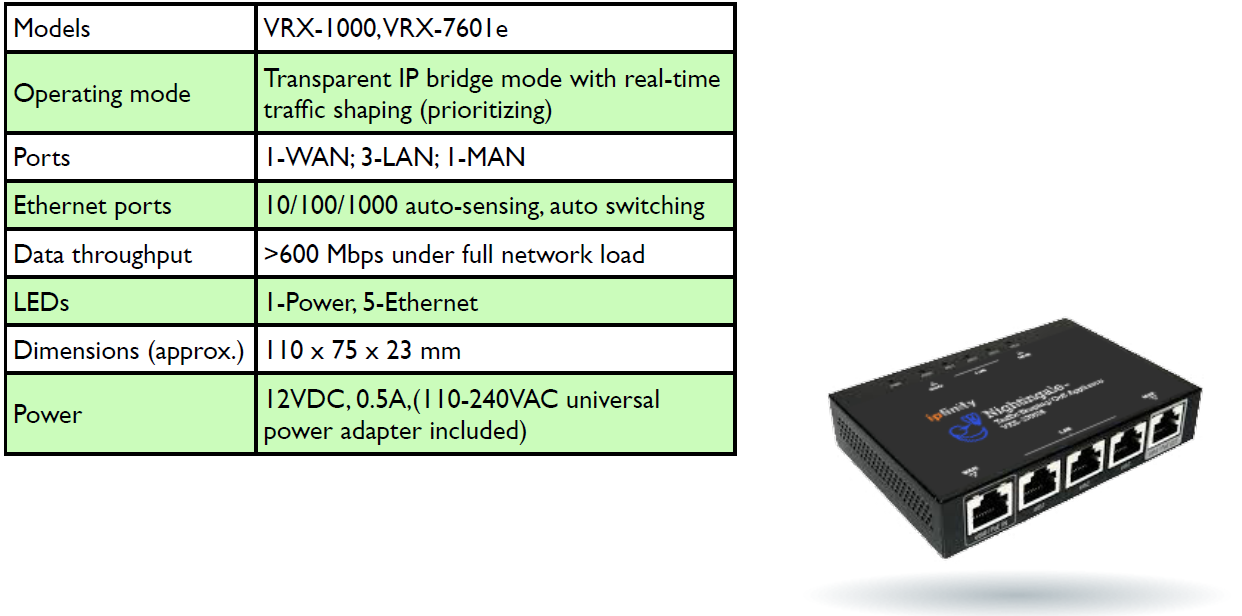
The VRX family of Nightingale™ Traffic Shapers are transparent bridge-mode network devices that provide real-time traffic management to optimize voice and video quality of service (QoS). The VRX family of Nightingales feature 1-WAN, x 3-LAN and 1xMAN (management) ports.
The traffic-shaping properties of the Nightingale are engineered to ensure a high quality of service for real-time sensitive voice traffic to and from IPFINITY’s CloudVoice™ infrastructure, with minimal impact on other data passing through.
By operating in transparent bridge mode, the VRX family of Nightingales greatly simplify network installation in any network, large or small.
All VRX devices are shipped with universal power supplies (110-240VAC). VRX devices are not shipped with network cables.
Architecture
The VRX family of Nightingale Traffic Shapers are internally organized as two separate devices.
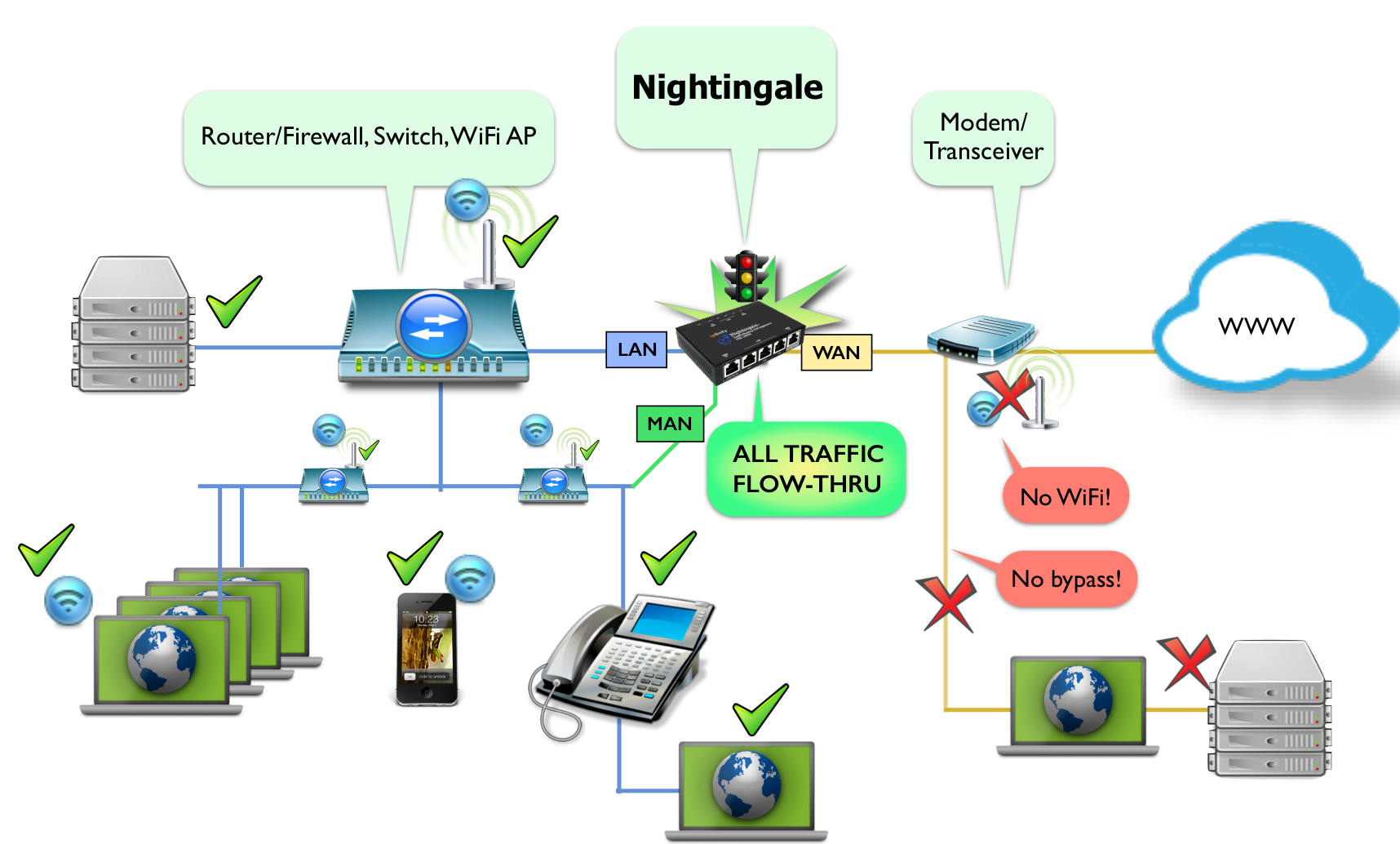
A layer-2 device exists between the WAN and LAN ports: effectively behaving like an Ethernet switch for devices on either side. All ethernet frames are switched, unmolested, between these ports; however, traffic shaping/prioritization is only applied to IP traffic transiting between the WAN and LAN ports. No traffic shaping is applied to non-IP traffic.
The MAN (management) port is the means by which Nightingale accesses IPFINITY’s provisioning service to obtain software and configuration updates and to report diagnostics. The LAN-WAN ports and the MAN port are physically isolated for security. Therefore if the MAN port is disconnected the Nightingale will continue to function with its existing configuration but will not be able to receive any configuration or software updates. For this reason, we recommend leaving the MAN port connected to your LAN.
Simplified Network Diagram
Analyse
- While your network is quiescent, connect a PC to the most upstream point in your network and perform five consecutive Internet speed tests (speedtest.net). Discard the first two results and report the last three sets of results to the IPFINITY provisioning team at support@ipfinity.com.
- Provide the IPFINITY provisioning team with a network diagram or sketch.
- The above information will be used by the IPFINITY provisioning team to configure your Nightingale.
Connect
- Connect the Nightingale into your network as far upstream (i.e. towards the Internet) as you can, while the network traffic still remains IP (e.g., not PPPoE). Connect the WAN port of the Nightingale to the next upstream (i.e.WAN-facing) device. For security or convenience, you may install the Nightingale downstream of your firewall device.
- Connect your LAN (e.g. root switch) to a LAN port of the Nightingale.
- Connect the MAN port to your LAN so it can access a DHCP server and connect to the Internet.
- This is key: For the Nightingale to perform optimally, all network traffic must pass through the Nightingale. Therefore, ensure that there are no bypass routes around the Nightingale, such as a WiFi access point that is installed further upstream than the Nightingale.
Configure
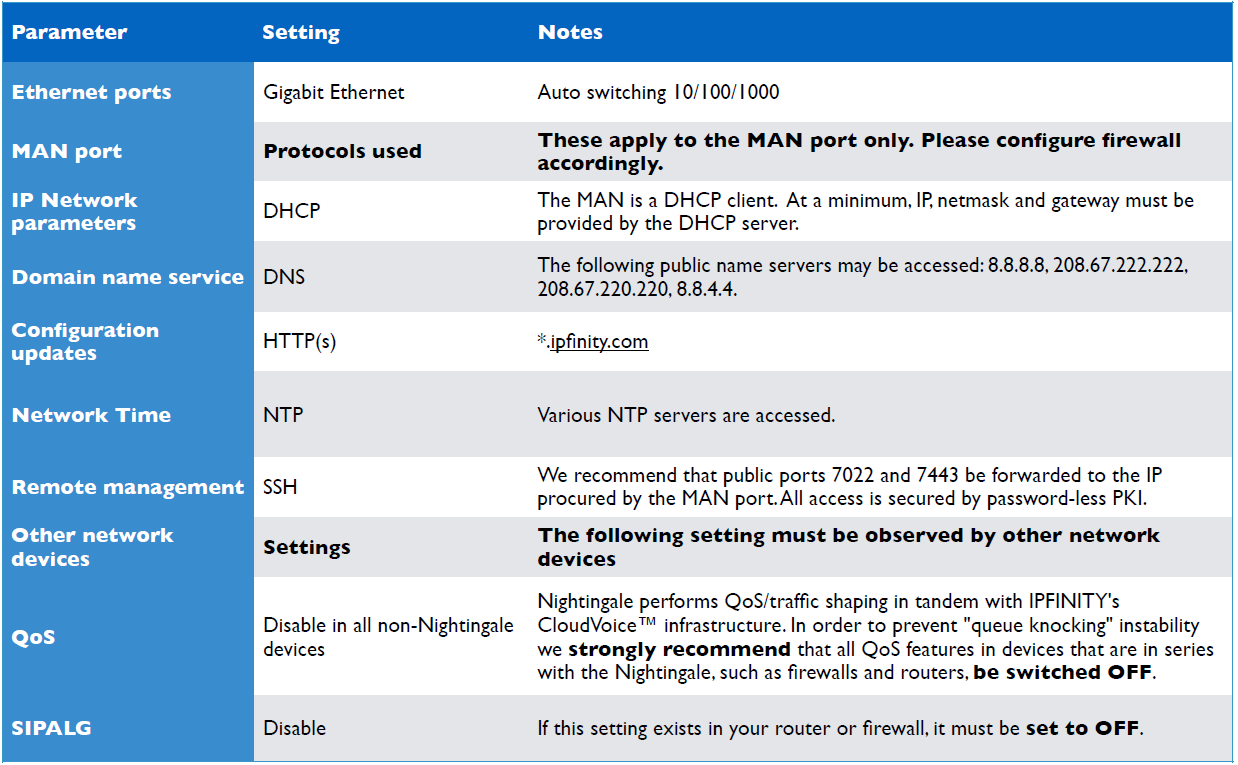
- Allow the Nightingale to access the Internet by enabling access through your firewall (details in the following table).
- Forward public ports 7022 and 7443 to Nightingale’s MAN port to allow IPFINITY technicians to access the Nightingale via PKI/SSH if needed (optional but recommended).
- Power up. On its first power-up, a VRX1000 Nightingale can take up to five minutes to obtain and load its configuration files.
Test
- Verify that your network is functioning correctly.
- Optional: Stress-test your Internet with the Nightingale installed. The details for this procedure are to be found in IPFINITY’s Support Portal here: https://ipfinity.zendesk.com/entries/24891881- How-to-analyze-test-your-Internet connection.
Do's and Don'ts
- VRX series Nightingales are transparent bridge-mode devices. All Ethernet frames (all IP packets, all protocols) are transparently switched between the WAN and LAN interfaces. However, only IP traffic is prioritized between the WAN and LAN interfaces.
-
In order for the Nightingale to function effectively, all network traffic must pass through it. Therefore do not allow bypass routes around the Nightingale, such as by activating WiFi service in an upstream device.
-
VRX series Nightingale devices require Internet access for updating themselves upon power-up and periodically thereafter. They request an IP address side from the MAN port (DHCP) and access the Internet for fetching updates and providing status using several IP protocols that are detailed in the following table.
Network Specifications
Hardware Specifications
Network Configuration Checklist
Please refer to our network checklist and the Nightingale user guide below.
https://ipfinity.zendesk.com/hc/en-us/articles/227388068-Network-Checklist
For questions or help with the configuration:
1-855-IPFINITY ext. 2
support@ipfinity.com
0 Comments