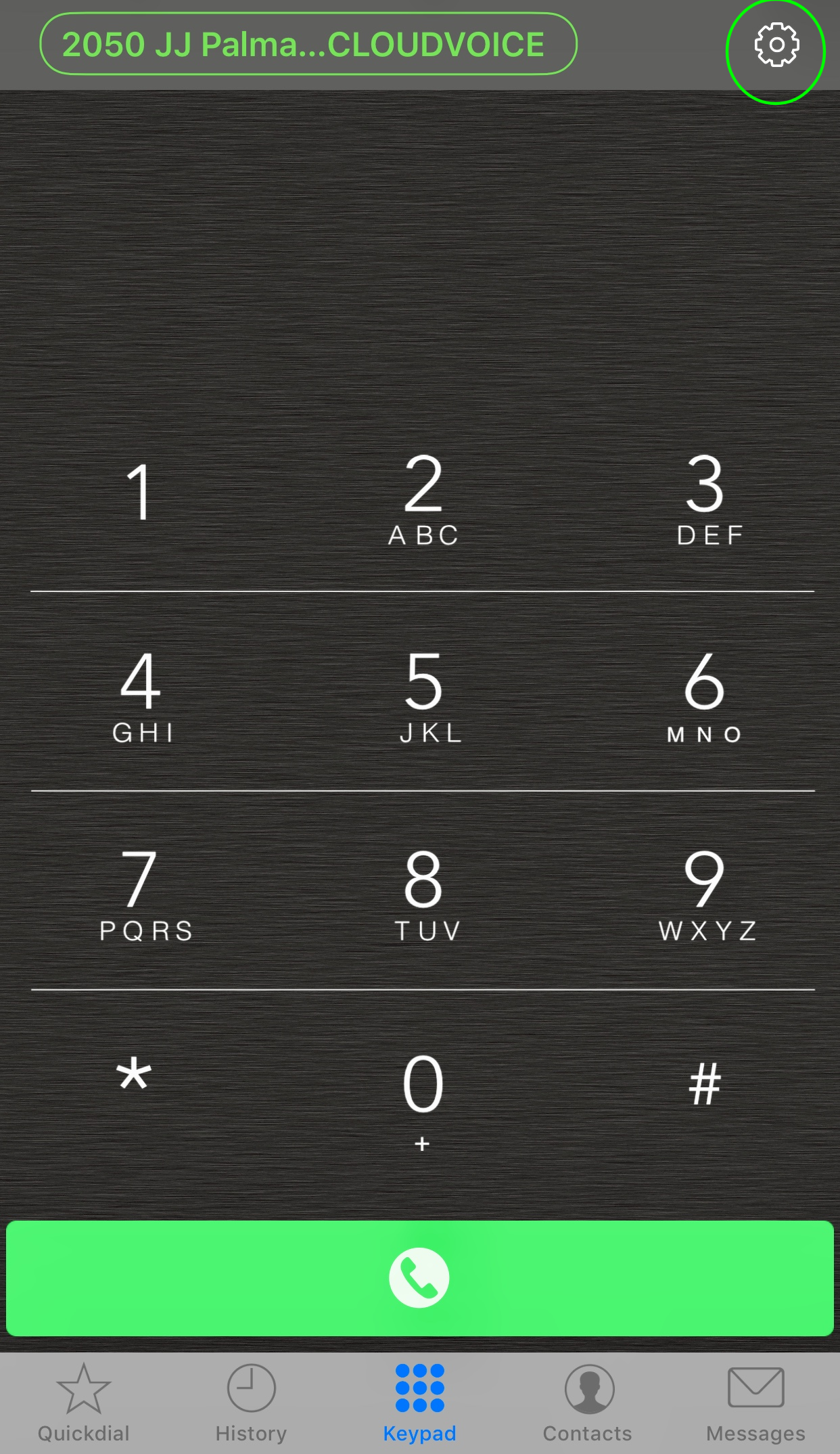
Step 1: Tap the gear icon on the upper right corner of the screen (see screenshot below, the gear icon is encircled)
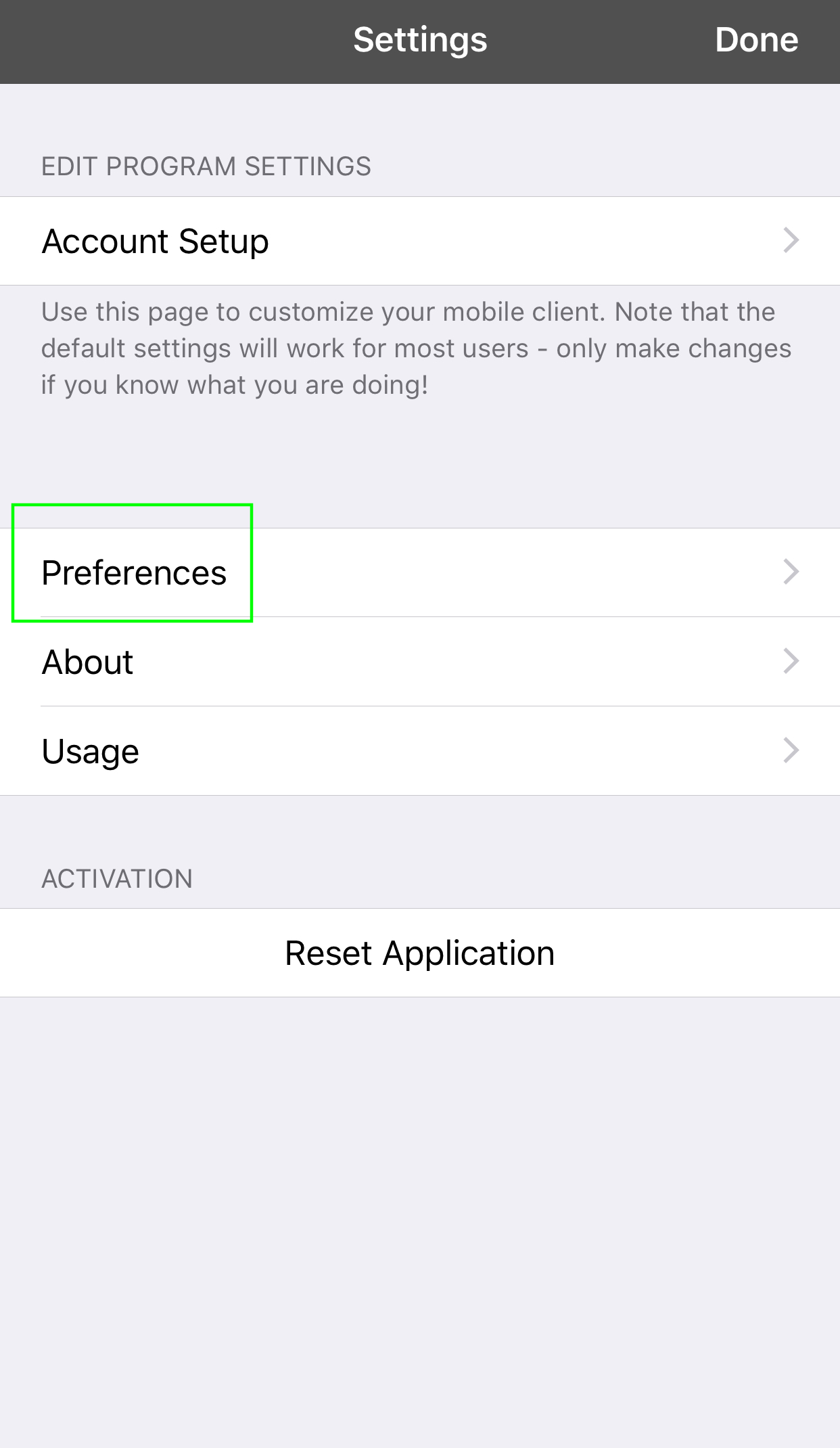
2. Select Preferences
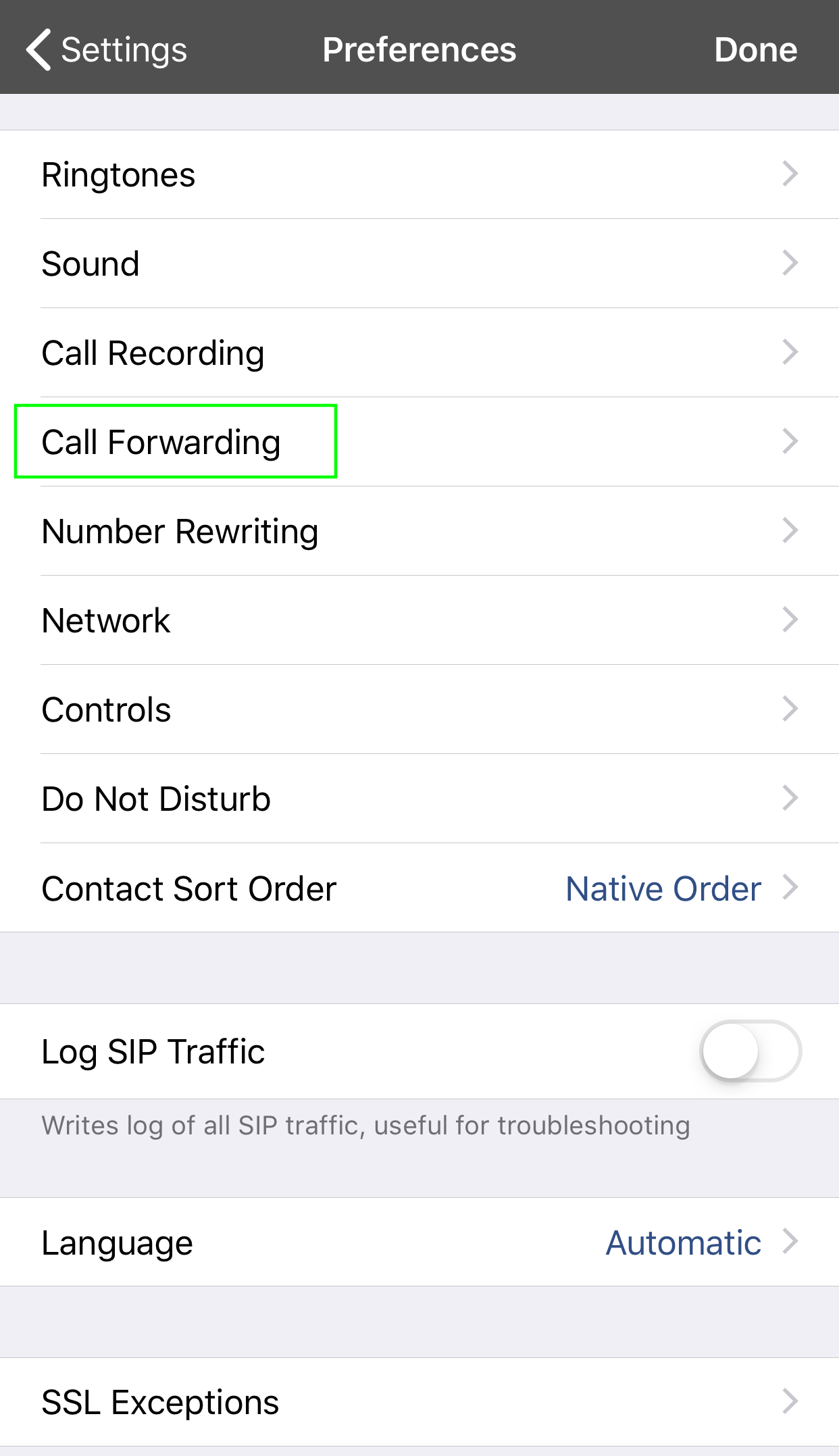
3. Select Call Forwarding
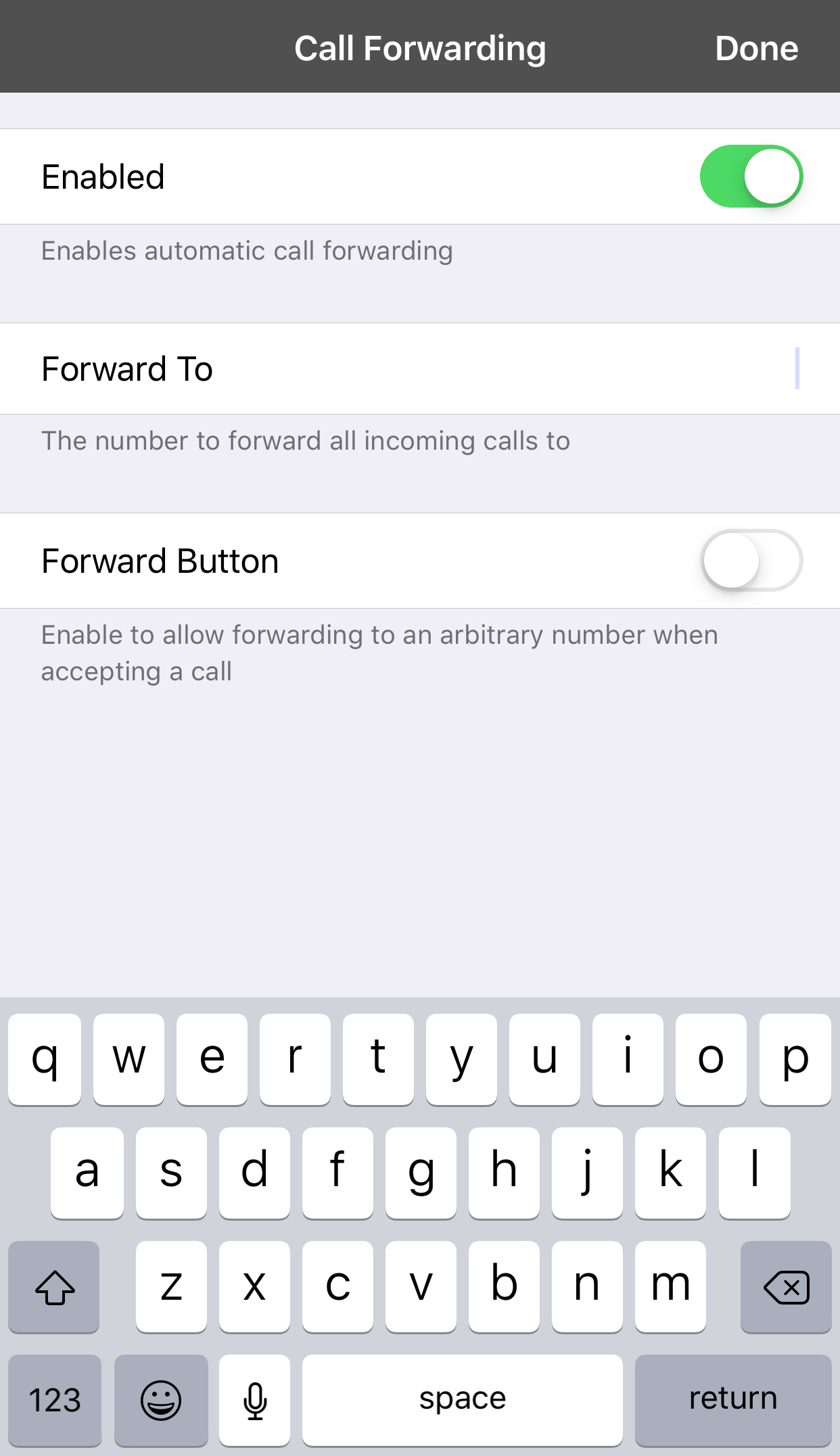
4. Make sure Enabled is turned on and then type the number that you want your calls to be forwarded to on the Forward To textbox then tap Done on the upper right.
0 Comments